Home › Forums › Help and Support › Yellow Warm display and Lightroom and Premiere
- This topic has 4 replies, 2 voices, and was last updated 8 years, 1 month ago by
 Peleias.
-
AuthorPosts
-
2018-04-25 at 18:41 #11698
All good guys? I loved the software, congratulations!
I recently bought the Colormunki display and as my calibration knowledge is zero and I am studying …. I am having a problem with the whitepoint. The white is yellowish. Warm. Much. I searched the forum for similar problem and saw that windows explorer has no color space, so it’s normal to have the yellowing tone, but I’m tense other problems.
1 – I am on a notebook with screen, according to the manufacturer, 15.6 “IPS FullHD (1920 x 1080p) 16: 9 LED-Backlit – (Matte).
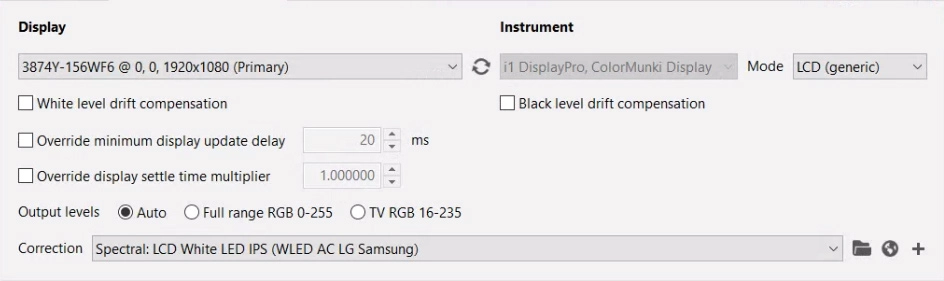
I tried the LED options, but the results were the same. Any suggestions on which model to choose?2 – I use Lightrom (Prophoto) and Adobe Premiere (Rec 709) should I use different color profiles when working with each software? (Profiling with each Tone Curve?)
3 – Yellow
White Point
All tests are giving this value.
Chromaticity coordinates 0.2931x 0.2970y
A: 255 G: 228 B: 179
H: 39 S: 76 Br: 255
On the wheel, peak in the upper right quadrant.Is this normal this power yellow?
Many thanks!
-
This topic was modified 8 years, 1 month ago by Peleias.
Calibrite Display SL on Amazon
Disclosure: As an Amazon Associate I earn from qualifying purchases.2018-04-26 at 1:47 #11703Hi,
I am having a problem with the whitepoint. The white is yellowish. Warm. Much.
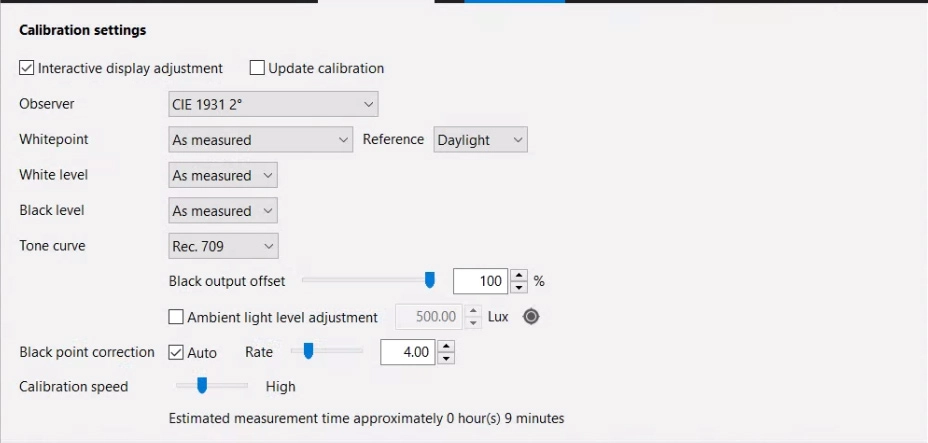
Which whitepoint did you choose on the “Calibration” tab?
I am on a notebook with screen, according to the manufacturer, 15.6 “IPS FullHD (1920 x 1080p) 16: 9 LED-Backlit – (Matte).
I tried the LED options, but the results were the same. Any suggestions on which model to choose?“Spectral: White LED” is probably the right choice.
White Point
All tests are giving this value.
Chromaticity coordinates 0.2931x 0.2970yIs this the native white without calibration? The chromaticity indicates a very cool (blueish) white, correlated color temperature around 8400K.
2018-04-26 at 16:31 #11710Which whitepoint did you choose on the “Calibration” tab?
Thank You Florian.
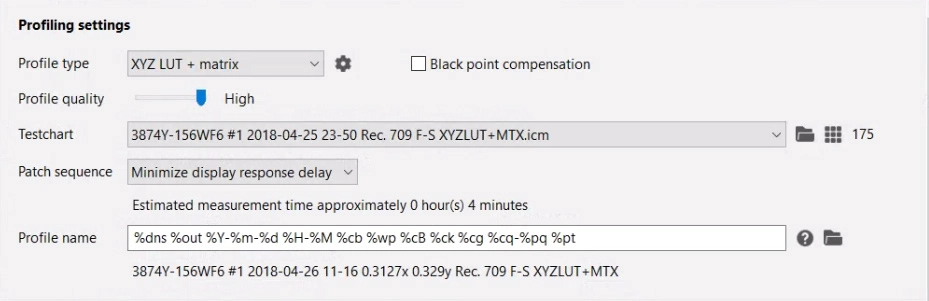
Sorry to bother you, but I had a turnaround last night. I opened the DisplayCal to give you this information, (I used the Interactive Display adjustment and the Visual Whitepoint Editor to understand the warm yellow). There was an update to DisplayCal³ (DisplayCAL-3.5.3.0-Setup).I decided to do the calibration again, set the REC 709 to be focusing on Premiere Pro…
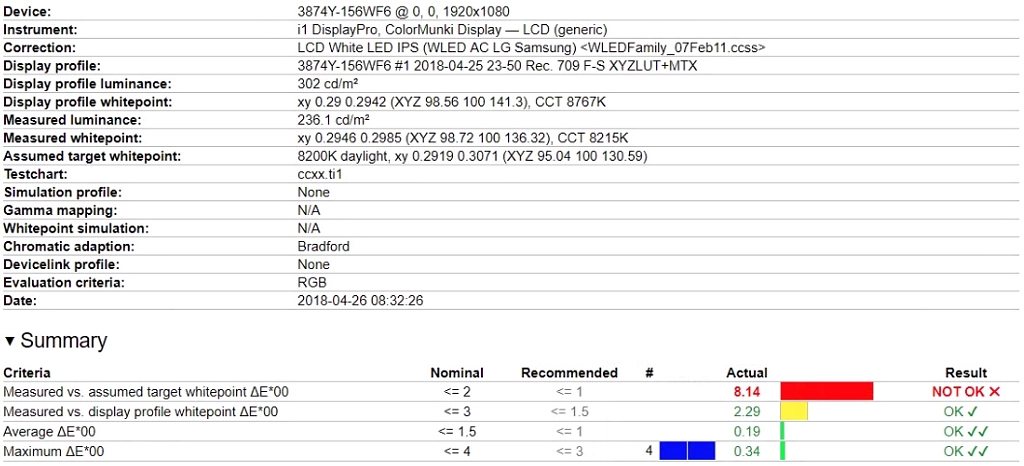
And now the white “normal”. But in Verification this is giving error.
After 3 days of testing with the yellow (Colormunki software is also giving the yellow warm).Am I doing something wrong?
-
This reply was modified 8 years, 1 month ago by Peleias.
2018-04-27 at 15:20 #11716Rec. 709 as calibration tone curve is not what you want. This is a pure encoding curve. The correct choice is Rec. 1886. This hasn’t anything to do with the whitepoint though.
As I said, your native display whitepoint is very blueish, so a target whitepoint of D65 will look warm in comparison. This is to be expected, and nothing to worry about. With a bit of time, your eyes will adapt to any whitepoint as long as it’s close enough to the daylight locus (your native display whitepoint incidentally isn’t, and that is reflected in the measurement report). This doesn’t mean you have to use D65 though, you can also choose the native white (“As measured”).
2018-04-27 at 15:26 #11718Thank you Florian! _/\_
-
This topic was modified 8 years, 1 month ago by
-
AuthorPosts