Home › Forums › Help and Support › QD-OLED calibration problem. Report attached.
- This topic has 12 replies, 3 voices, and was last updated 1 month, 2 weeks ago by
Ben.
-
AuthorPosts
-
2026-05-29 at 0:40 #145889
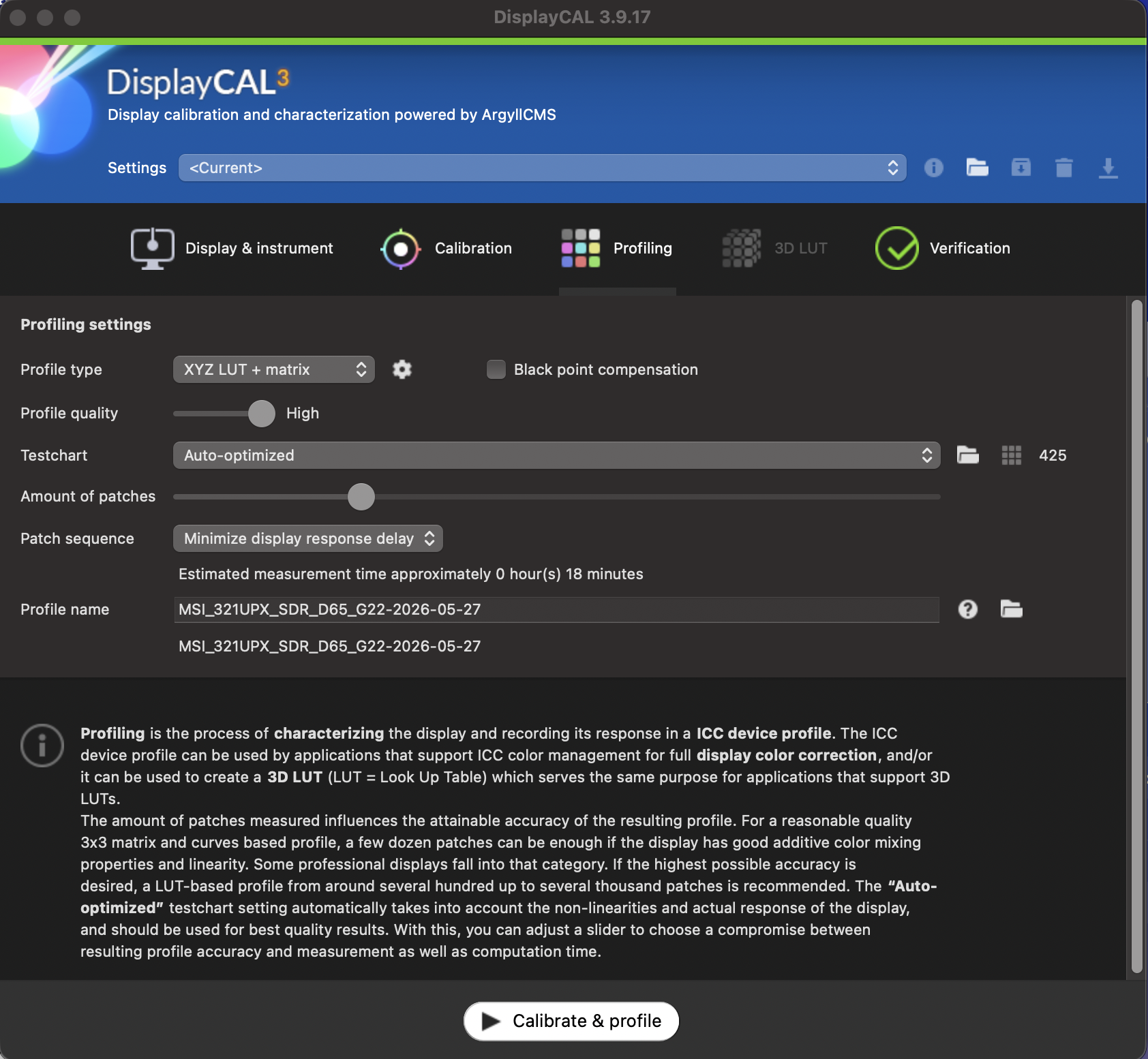
Hello, over a year ago I tried to calibrate my screen with DisplayCAL and couldn’t. I tried again, but it didn’t work. I’ve attached screenshots of my settings and the report, as well as an image with a preset profile and another that looks quite bad when I apply the “calibrated” profile (the image X-Rite displays on the screen). My hardware is:
Mac Mini M4
MSI UPX321 QD-OLED
X-Rite i1 Display ProThank you in advance. Please excuse any typos; I’m using a translator.
Attachments:
You must be logged in to view attached files.Calibrite Display Pro HL on Amazon
Disclosure: As an Amazon Associate I earn from qualifying purchases.2026-05-29 at 4:00 #145898A HTML of the report would be helpful for gamma. A ICC is needed to check the ICC to see its TRC. Need to check gamma white balance since it was as measured. A 8 bit TRC with a P3 colorspace would not be good. I am not good at Macs. Feel free others to comment. I have no idea what is wrong. Defiantly not right color space for desktop. Need to reduce it to REC 709.
What is your profile application for?
2026-05-29 at 21:08 #145906I don’t quite understand what you wanted; keep in mind that I’m new to calibration. As for the HTML, when I enter it, it generates an HTML file from a location on my computer, so I wouldn’t have access.
2026-05-30 at 0:27 #145908You should not use a colorimeter correction matrix UNLESS YOU MADE IT. The first step would be using the same one as used in Xrite software…. DisplyCAL has all of them.
Also you do not calibrate grey
Also you should use the same profile tye as Xrite software. (matrix vs table/XYZLUT)
Once you start making comparisions apples vs apples, you may ask what to improve or where do you think that software A or B is not doing what ypu want
2026-05-30 at 0:31 #145910Your profile itself will have the calibration in it and show the gamut. The profile is in appdata\displaycal if you look you will find it around there under a calibratrion folder. Old dos time directories are now folders in Windows. Im new to Mac and never installed Mac. You might need a admin account on the Max to get to the report. On Windows its c:\ users\username\roaming\appdata\displaycal . Not sure if this right on Windows but its my answer without looking.
-
This reply was modified 1 month, 2 weeks ago by
2026-05-30 at 0:41 #145913In mac a grey calibration will not work at least I remember that. I almost messed up my 1st post. A Grey calibration would be 8 bit I saw looking at his files. Grey does effect the TRC so I was almost right. Hope everything is good and someone with a Mac can help. Thanks Vincent.
2026-05-30 at 11:01 #145914You should not use a colorimeter correction matrix UNLESS YOU MADE IT. The first step would be using the same one as used in Xrite software…. DisplyCAL has all of them.
Also you do not calibrate grey
Also you should use the same profile tye as Xrite software. (matrix vs table/XYZLUT)
Once you start making comparisions apples vs apples, you may ask what to improve or where do you think that software A or B is not doing what ypu want
In mac a grey calibration will not work at least I remember that. I almost messed up my 1st post. A Grey calibration would be 8 bit I saw looking at his files. Grey does effect the TRC so I was almost right. Hope everything is good and someone with a Mac can help. Thanks Vincent.
Thanks for your replies, but remember I’m a complete novice xd. When you say to use the same one as X-Rite, that displayCAL has everything, I’m not sure if you’re referring to the correction section because I don’t see anything about X-Rite there. I chose the one for my images because it used the same calibrator and the same screen as mine. Regarding the profile, I went into a folder with many files, but I don’t know which one you need me to attach here so you can help me. There are several .log files, and also .icc, but I doubt I can attach it here.
2026-05-30 at 12:58 #145915You can. The log files are good for finding errors in the calibration too. Allowed file types is listed where you upload attachments. The folder above the icc and log files should have the reports in html.
2026-05-30 at 13:41 #145916You should not use a colorimeter correction matrix UNLESS YOU MADE IT. The first step would be using the same one as used in Xrite software…. DisplyCAL has all of them.
Also you do not calibrate grey
Also you should use the same profile tye as Xrite software. (matrix vs table/XYZLUT)
Once you start making comparisions apples vs apples, you may ask what to improve or where do you think that software A or B is not doing what ypu want
In mac a grey calibration will not work at least I remember that. I almost messed up my 1st post. A Grey calibration would be 8 bit I saw looking at his files. Grey does effect the TRC so I was almost right. Hope everything is good and someone with a Mac can help. Thanks Vincent.
Thanks for your replies, but remember I’m a complete novice xd. When you say to use the same one as X-Rite, that displayCAL has everything, I’m not sure if you’re referring to the correction section because I don’t see anything about X-Rite there.
All colorimeter corrections that you can see in Calibrite Profiler (some of them are fake*), DisplayCAL has them, just import default bundle for i1displaypro.
OLED (RGB OLED) correction should be available in both software and maybe there is a CCSS (no CCMX like you used) for QD-OLED in community:
https://colorimetercorrections.displaycal.net/(*) When you select PFS phosphor /Mini LED it is using GB-LED. When you choose GB-LED it is using RGBLED
I chose the one for my images because it used the same calibrator and the same screen as mine. Regarding the profile, I went into a folder with many files, but I don’t know which one you need me to attach here so you can help me. There are several .log files, and also .icc, but I doubt I can attach it here.
 2026-05-30 at 21:31 #145917
Sí, puedes. Los archivos de registro también son útiles para detectar errores en la calibración. Los tipos de archivo permitidos se indican en la sección donde subes archivos adjuntos. La carpeta superior a la de los archivos ICC y de registro debería contener los informes en formato HTML.
I get an HTML file, I’ll upload it, I don’t know if it’s the one you need.
I downloaded the CCSS file and calibrated it, and again the screen looks very bad. I suppose it must be something in the calibration settings.
Attachments:
You must be logged in to view attached files.2026-05-30 at 23:50 #145919The verification report is what is needed to see its colorspace. We can not see color cordinates with the 3d gamut. It does look calibrated though. Your system is probably not set right.
2026-05-31 at 1:51 #145920How do I get the report you need?
2026-05-31 at 12:42 #145921Run verification. That makes the HTML file. To see the desktop color situation run it with settings at the top as current to use the ICC your OS uses. Then do not check any boxs for simulate profile or use profile. The tone curve should be what the monitor gamma is. A wide gamut needs a ICC for colormanaged apps. Your system wide gamut is set in Mac OS. This needs to be set to the DisplayCal ICC. It is in the colorsync util. https://support.apple.com/guide/mac-help/change-your-displays-color-profile-mchlf3ddc60d/mac
-
This reply was modified 1 month, 2 weeks ago by
-
This reply was modified 1 month, 2 weeks ago by
-
AuthorPosts
