Home › Forums › Help and Support › Measurement Report without ICC profile
- This topic has 12 replies, 3 voices, and was last updated 8 months, 3 weeks ago by
 Vincent.
-
AuthorPosts
-
2025-10-18 at 21:56 #144881
Hello,
I already know that my measurements will not be as reliable without a spectrometer, rather the aim is to understand the configuration of DisplayCal reports to measure the native image modes of a screen, without an ICC profile.
I would like to measure a LG 27GX790A-B (without ICC profile) to compare the results with Rtings.
As shown in the image below, Rtings use CalMan software and the CIE2000 for dE calculation.Rtings sRGB measure :

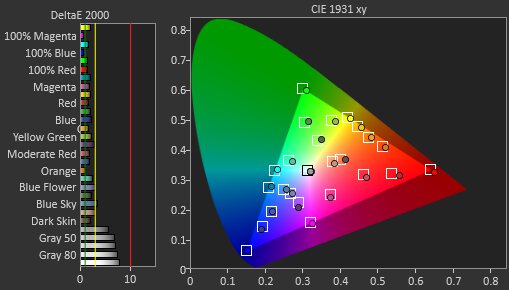
So I set up DisplayCal to measure my WOLED display, and create a measurement report against the sRGB space and a D65 white point :
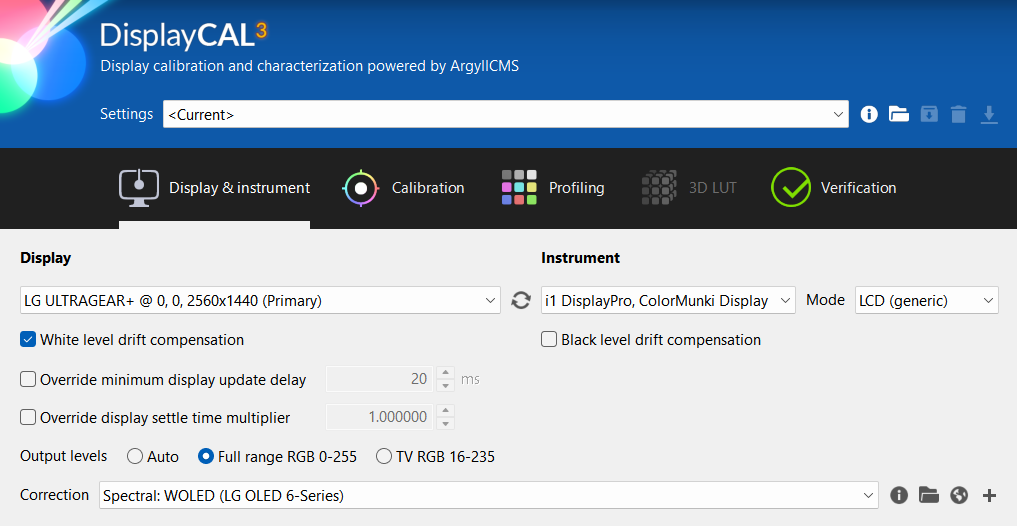

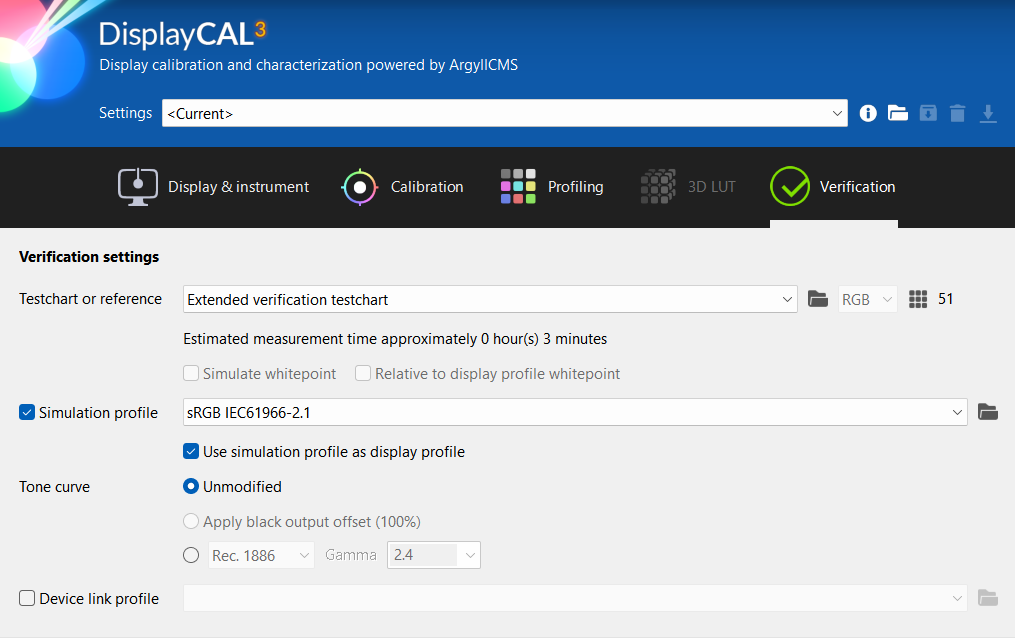

The measurement report is attached to this message.
It is completely different from that of Rtings, yet I selected “Color distance metric: ΔE*00” which I think refers to CIE2000.
Should I enable “Use absolute values” ?I did tests with the HCFR software, it uses absolute values for the calculation of CIE2000 colors
Besides, can you explain to me when to use relative or absolute values for calculating dE color difference ?
It is also complicated to know if a test site works with relative or absolute values, it is never specified…Thanks
Attachments:
You must be logged in to view attached files.2025-10-18 at 22:35 #144885EDIT :
Based on the RGB balance vertical scale values (midpoint 0 and not 100), I now know that Rtings uses absolute values: https://www.portrait.com/resource-center/absolute-vs-relative-rgb-charts-in-calman/2025-10-19 at 12:57 #144887Short version: Calman verification is useless in the way it is presented.
It validates all greyscale vs a target (D65 with certain gamma).DisplayCAL (in relative or absolute) validates whitepoint against a reference: profile / daylight /blackbody, depending on what you sleect in HTML report.
Then it validates grey color against MEASURED WHITE and gamma versus target, it does not validate grey color against reference because it is useless. Grey must be neutral color to whatever whitepoint it is.Calman verification is useless because a display perfectly calibrated to a cool or warm whitepoint than D65 but perfetly neutral in color and on spot in gamma will be shown with huge dE bars. Thus calman user won’t know at frist sight that his display is perfectly calibrated and only needs a RGB gain adjustment for whitepoint.
Also a display with good grey vs reference up to RGB 200 (an example) then mild to severe tint to whitepoint will be shown as “mostly OK” where it is actually very bad and needs full greyscale calibration rather tha just whitepoint adjustment.Also Calman does not evaluate if greys have distinctive grey color cast while DIsplayCAL, like prad.de reviews, generates a number called grey range / combined a*b* range to check this.
Each grey could have < 2dE to its evaluation reference, but if one has a green cast and other has a pink cast, your eyes will see the difference on a non color managed grey ramp black to white.2025-10-19 at 16:48 #144888Thank you for all this information; I understand much better!
Many people, for example, have to compare a screen on Rtings with another reference on Prad.de, even though the dE calculations are completely different!
I myself didn’t pay attention to it until today (I’m learning little by little).
It is unfortunate that review sites do not mention this clearly, it is very important for understanding.Now I will pay attention to this, Thanks.
2025-10-22 at 20:13 #144890Hello,
I still have a few questions regarding the DisplayCal report.- In this first image, below :
Why are the nominal coordinates a=0.02 and b=-0.02 ?
It should be 0.00 since White is the (relative) reference?
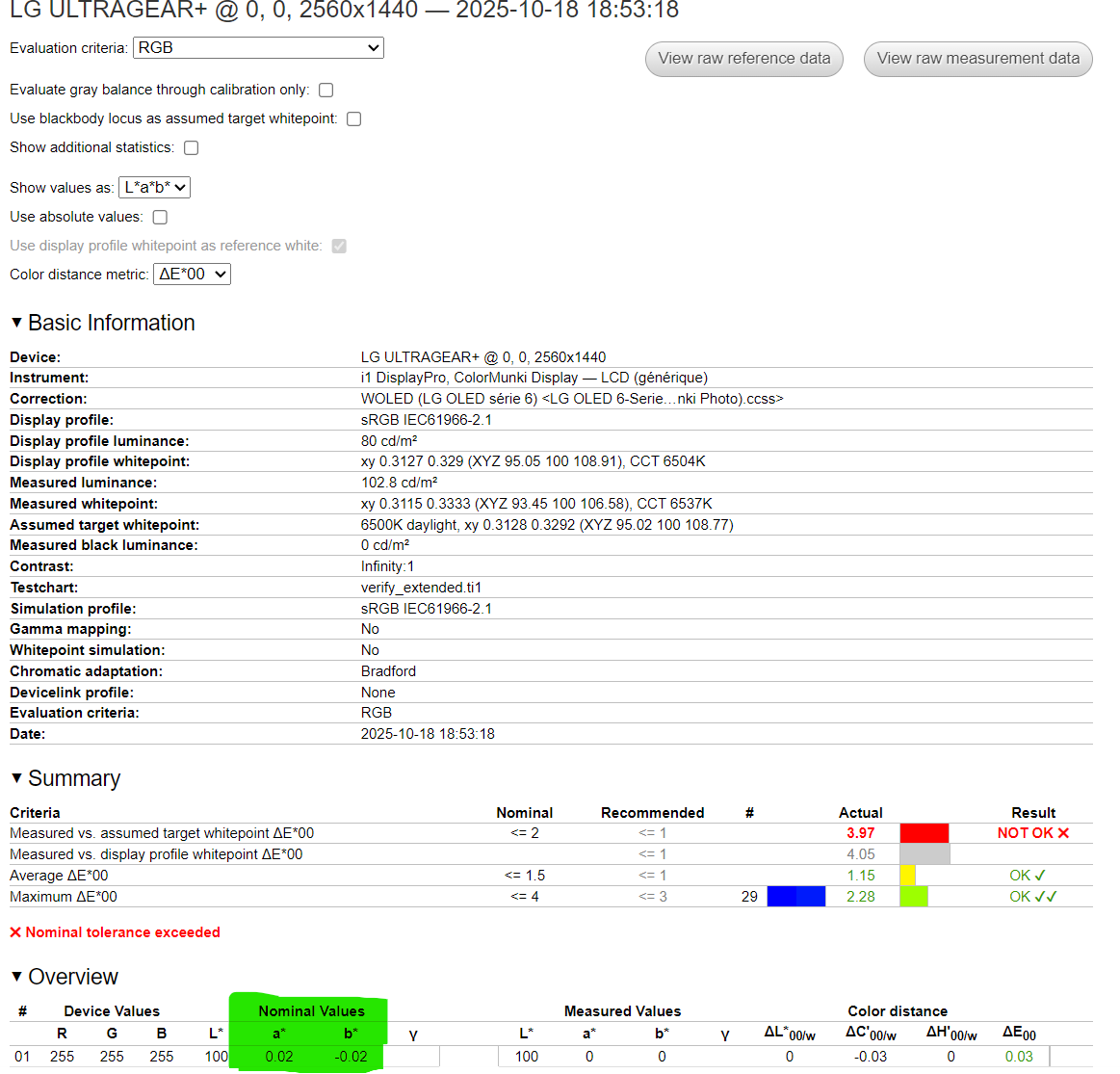
- In this second image, below :
Why do the xy coordinates indicate a white D50 x=0.3457 y=0.3585, while the measured white (~D65) is x=0.3115 y=0.3333 ?
Why is there a difference in L between “Nominal Values” and “Measured Values” ?
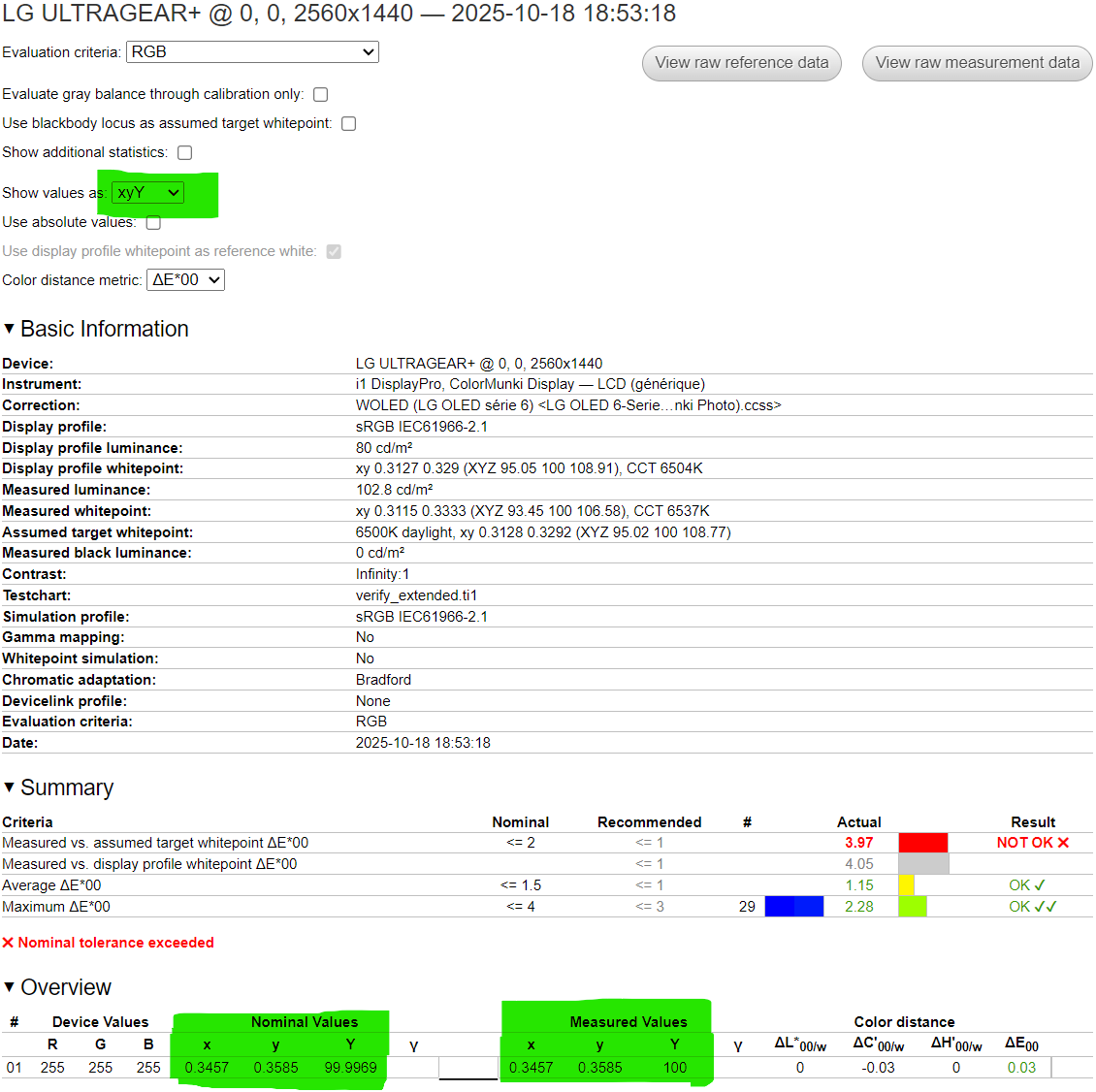
Thanks 🙂
-
This reply was modified 8 months, 4 weeks ago by
 Yamh.
Yamh.
2025-10-22 at 21:47 #144892- Why is there a difference in L between “Nominal Values” and “Measured Values” ?
I was mistaken, corrected (not L, it’s Y in xyY)
-> Why is there a difference in Y between “Nominal Values” and “Measured Values” ?2025-10-22 at 22:10 #144893One is the ideal, the other the reality.
2025-10-22 at 22:30 #144894One is the ideal, the other the reality.
I don’t use Absolute values, the “relative white” should be the same in nominal and measured.
2025-10-22 at 22:43 #144895Relative: Measured data / profile data -> to PCS (D50) relative, then compare them. Usually color managed apps do its calculations this way. If you render a ProPhotoRGB (ref D50) on a color managed browser on a D65 display with a profile that has that whitepoint, “white” stored on image will be rendered as 255.
Absolute will be done at measured white, but L*a*b values will keep using D50 as reference ( D65 is about b*=-20) as reference so it’s difficult to read L*a*b* on absolute in a first sight. You may suggest to Erkan, maintainer of DisplayCAL-py3 to use whitepoint as lab reference in an additional combo box entry.
About Nominal vs measured DaniJ answered you, the reference (profile) vs measured.
About 0.02 a*b* nominal values IDNK, maybe profile definition causes translation to have this tiny error.
2025-10-22 at 23:11 #144896Relative: Measured data / profile data -> to PCS (D50) relative, then compare them. Usually color managed apps do its calculations this way. If you render a ProPhotoRGB (ref D50) on a color managed browser on a D65 display with a profile that has that whitepoint, “white” stored on image will be rendered as 255.
Absolute will be done at measured white, but L*a*b values will keep using D50 as reference ( D65 is about b*=-20) as reference so it’s difficult to read L*a*b* on absolute in a first sight. You may suggest to Erkan, maintainer of DisplayCAL-py3 to use whitepoint as lab reference in an additional combo box entry.
About Nominal vs measured DaniJ answered you, the reference (profile) vs measured.
About 0.02 a*b* nominal values IDNK, maybe profile definition causes translation to have this tiny error.
Thanks for the clarification 🙂
2025-10-22 at 23:30 #144897Absolute will be done at measured white, but L*a*b values will keep using D50 as reference ( D65 is about b*=-20) as reference so it’s difficult to read L*a*b* on absolute in a first sight. You may suggest to Erkan, maintainer of DisplayCAL-py3 to use whitepoint as lab reference in an additional combo box entry.
It’s already there in the attached report.
-
This reply was modified 8 months, 4 weeks ago by DaniJ.
2025-10-25 at 14:55 #144914Absolute will be done at measured white, but L*a*b values will keep using D50 as reference ( D65 is about b*=-20) as reference so it’s difficult to read L*a*b* on absolute in a first sight. You may suggest to Erkan, maintainer of DisplayCAL-py3 to use whitepoint as lab reference in an additional combo box entry.
It’s already there in the attached report.
Sorry, I forgot to reply. I saw the notification right now while answering other message.
Answer: It depends on display profile. Display ICC profiles created with DisplayCAL will store “true” whitepoint as whitepoint, while some other tools may store D50 as whitepoint plus some matrix.
For DisplayCAL profiles when verified as absolute a* and * will be close to 0 (on a reasonably good calibration), like in attached report
But if you try to verify using DisplayCAL for Windows a 3rd party profile defined as I said you’ll see the typical a*-2 b*-20 in nominal and measured columns, making it more difficult (at least to me) to inspect color casts in greys.You know, most displays past some good QC threshold (and that includes good inexpensive comsumer market oriented dislays) can be described after calibration with a simple curve + matrix ICC profile. Low overall “colorspace volume erros” (hence can be described with a matrix of primaries and suume perfect additivity).
But it may be difficult to achieve bandless color free greyscale. So for me, if at first sight report shows max dE is under some aceptable error for a particular use, i’ll only look at:
-whitepoint error
-contrast issues (HDMI levels, aggresive uniformity compensation, bad diplay…) if they do not match “expected” contrast levels (you may aim on purpose to 200:1)
-greyscale error
-under saturated/obersaturated CIE a*b* plot on bottom.
YMMV, but if all is under some max dE, I’ll look for those issues, so using “absolute” option in DisplayCAL report with a 3rd party profile on a D65 display (like ColorNavigator) may show me
LAB 91.12 -2.2 -17.92
to validate against
LAB 91.31 -1.94 -18.15
which it’s more difficult to read for me.2025-10-25 at 15:00 #144917 - In this first image, below :
-
AuthorPosts