Home › Forums › Help and Support › DELL AW2725DF – Different spectral correction files result different gamma curve
- This topic has 5 replies, 4 voices, and was last updated 2 months, 3 weeks ago by
 braveblade.
-
AuthorPosts
-
2026-04-16 at 5:05 #145708
Hi guys. I’m quite confused about a gamma curve issue with DisplayCal and hope can get some help here from the experts.
I’m using Color checker display pro to calibrate my DELL AW2725DF. I first clamped the monitor using novideo_srgb, and then I calibrated using DisplayCal. I can adjust the white point gain using this method. Here are my settings:
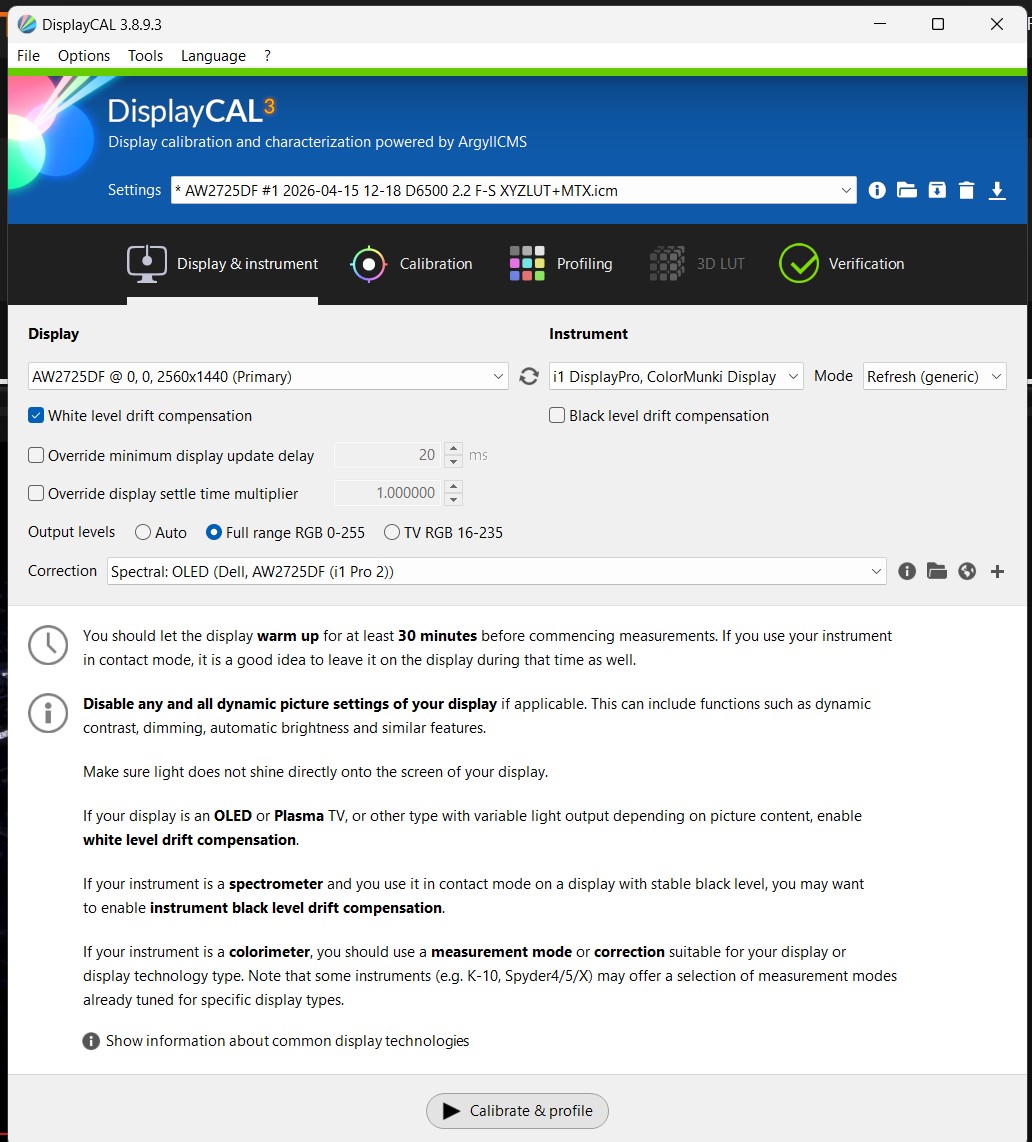
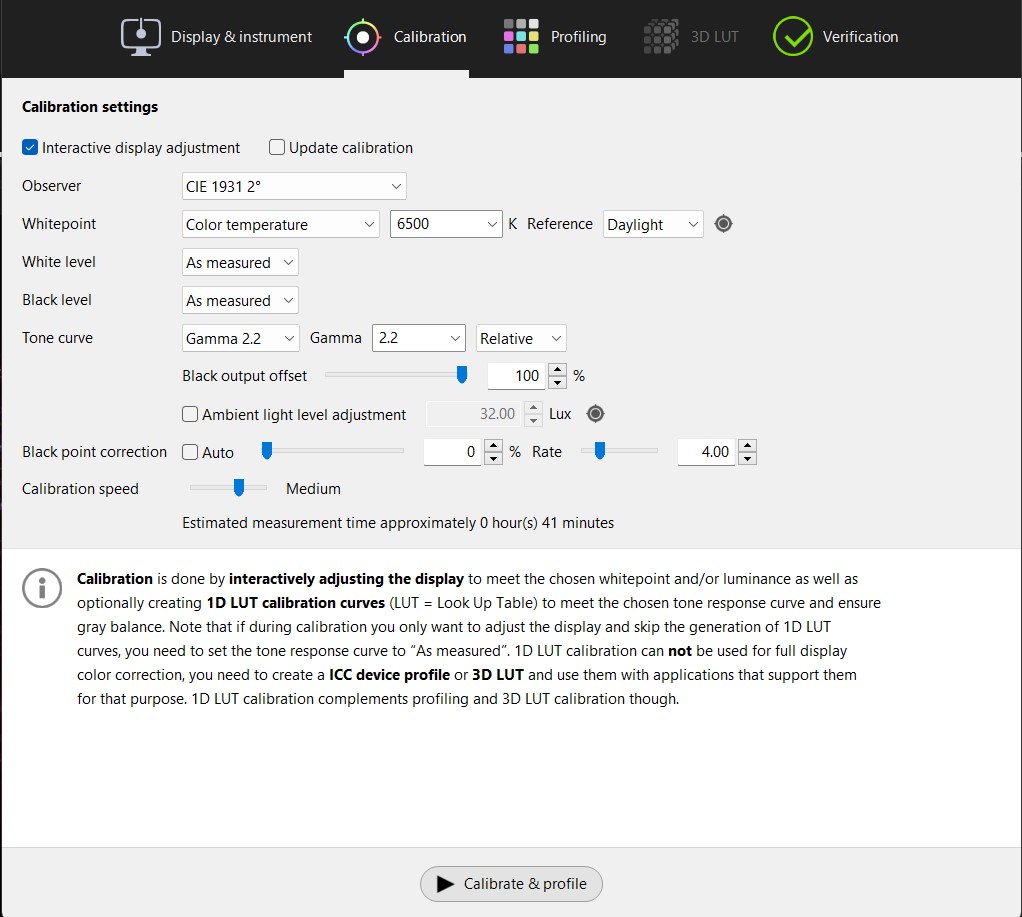
I found some spectral correction files for AW2725DF from DisplayCal database. I tried some and verified the results in DisplayCal after calibration. The gamma curve looks strange per each correction file.
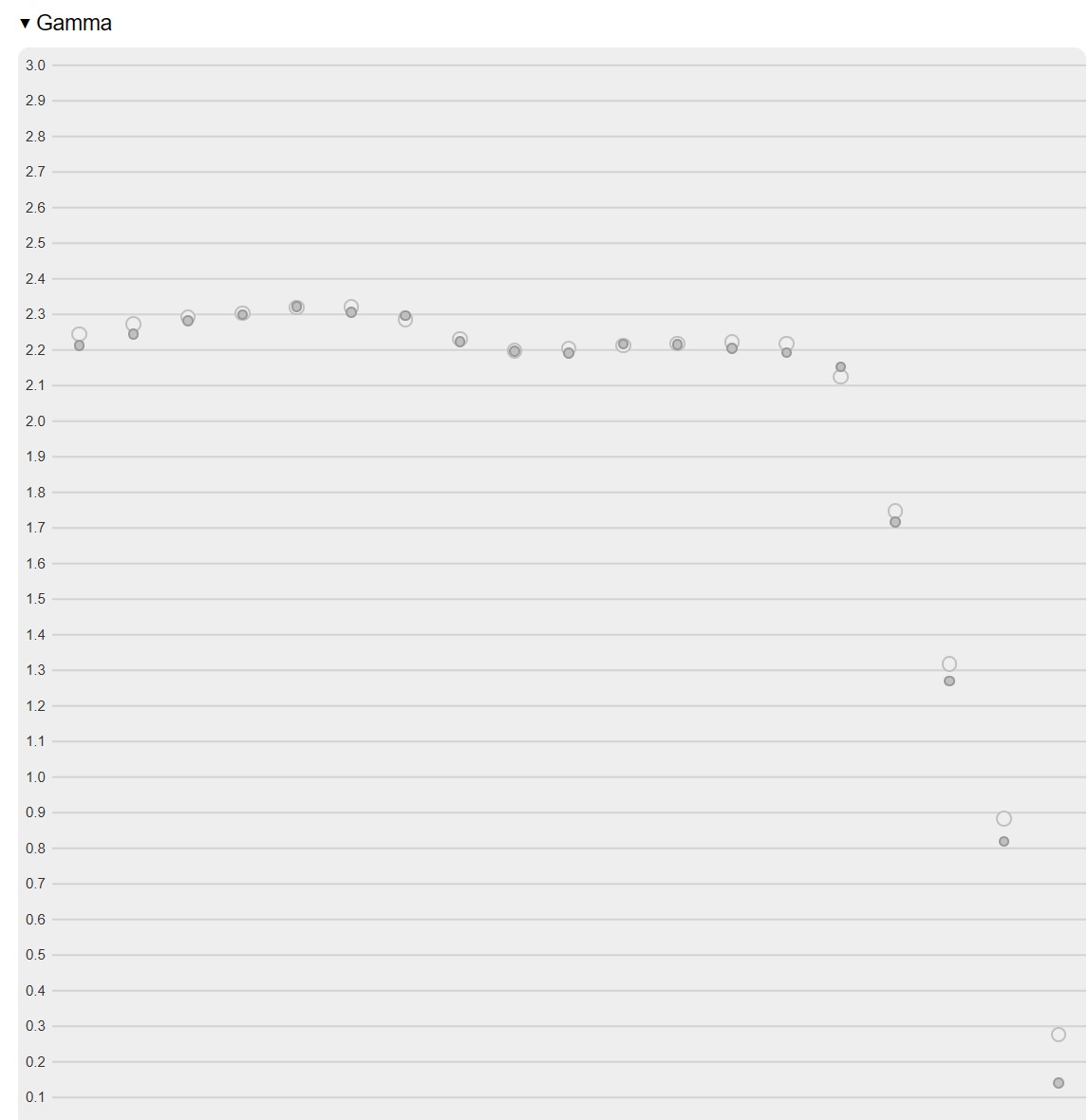
For the 1st correction file I tried: here is the gamma curve after calibration. The nominal values are completed garbage as it drops significantly with higher brightness. I tried multiple time and ended up with the same result:
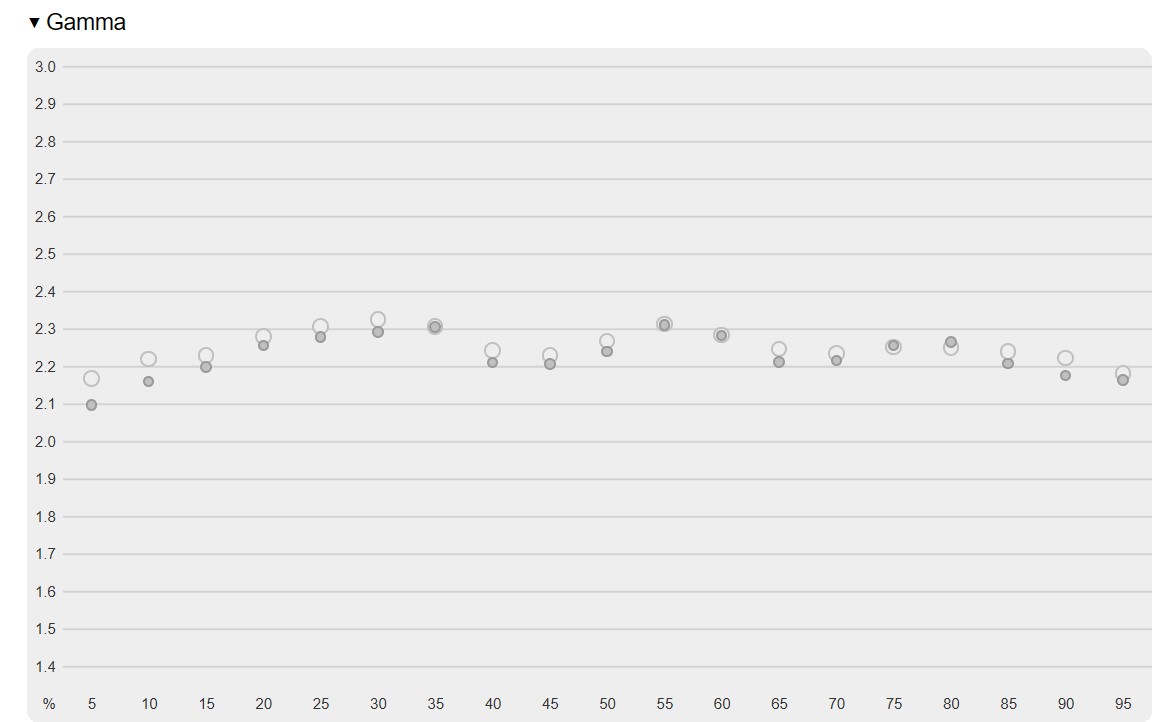
For the 2nd correction file I tried: here is the gamma curve after calibration. The gamma curve goes up and down:
Finally, I tried the RGB OLED Family correction file bundled with DisplayCal. In this case, the gamma curve is a straight line at 2.2:
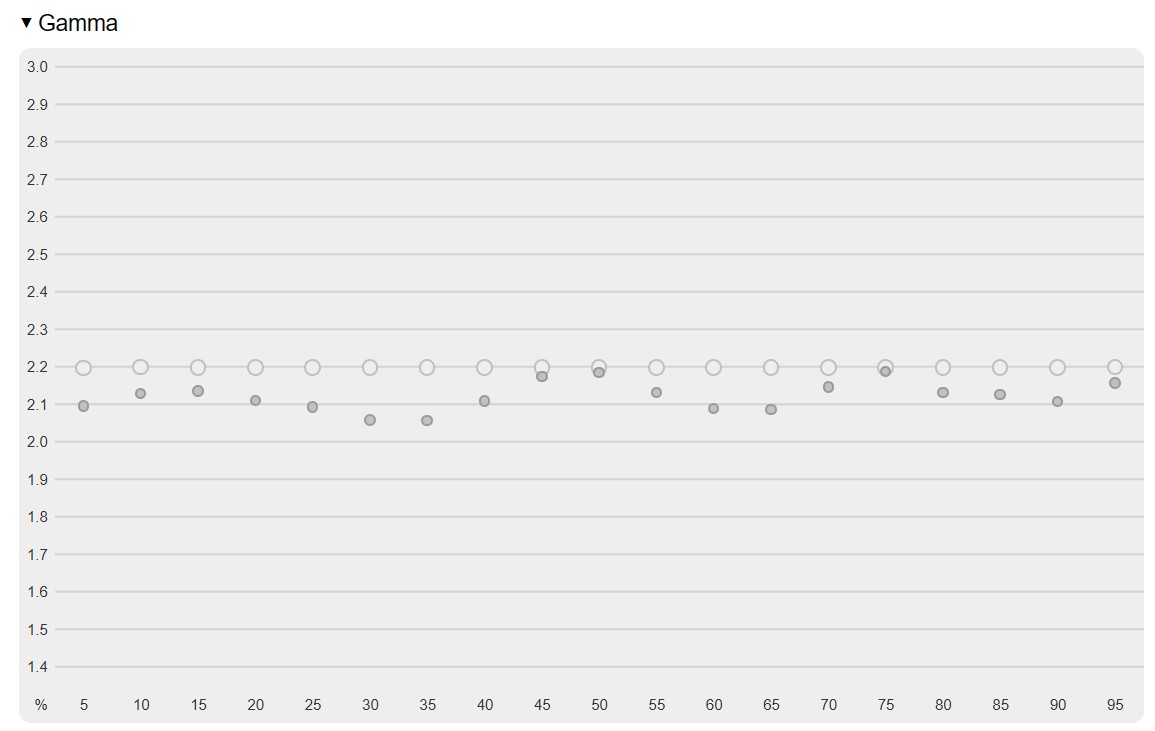
My question is, which is the correct correction file to use?
Also, I checked techless’s review for this monitor on Youtube, and he got a very nice gamma curve like this after calibration. How I can I do this as well?
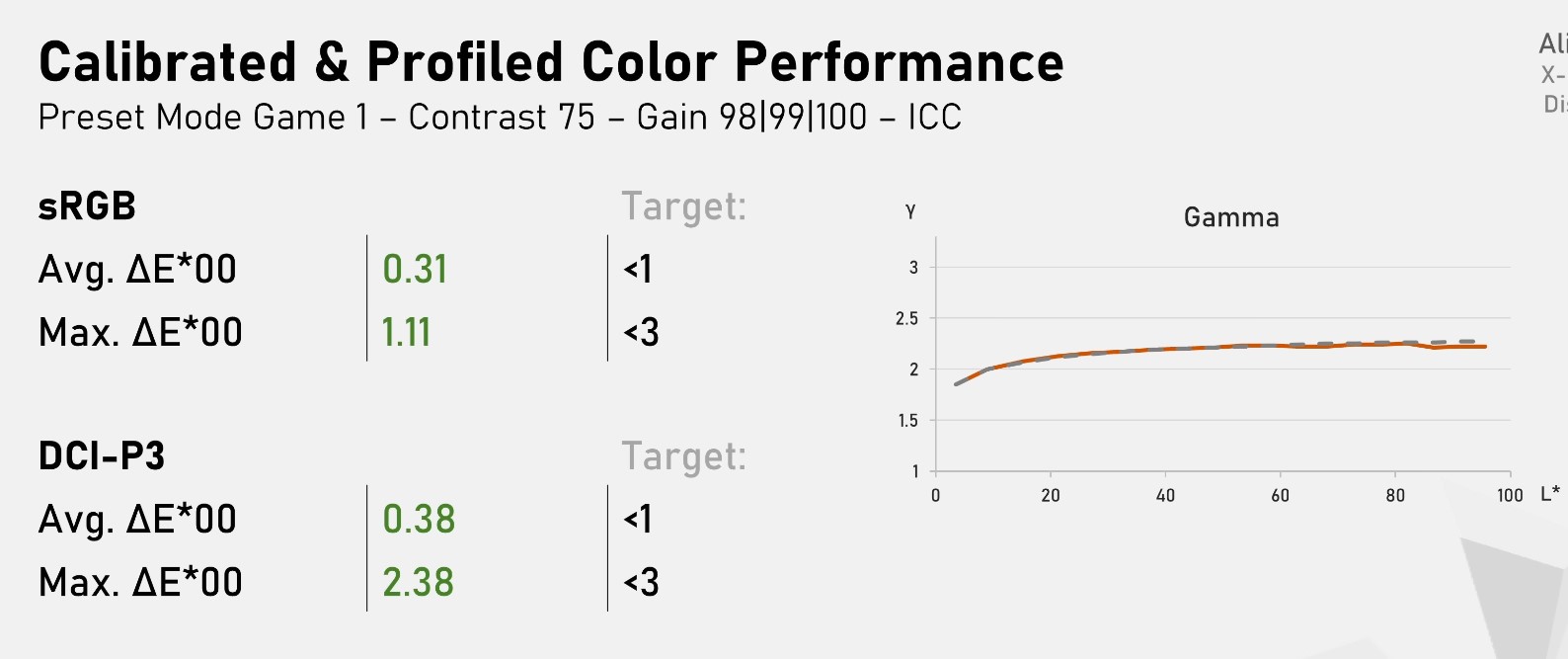
I have been stuck at this issue for a while. Any help and guidance will be appreciated!!!
Calibrite Display Pro HL on Amazon Calibrite Display SL on Amazon
Disclosure: As an Amazon Associate I earn from qualifying purchases.2026-04-16 at 8:49 #145709Colorimeter corrections do not influence TRC, just white point.
What you see is just bad behaved monitor (overshoot, agressive ABL in oled) and also you using “fast” calibration speed.
Use”Medium” calibration speed or lower for display with unknown quality and lower brightness ***way bellow the ABL limit for 100% area if OLED***.2026-04-16 at 12:42 #145710Try using the built-in OLED corrections (RGB OLED, RGB OLED Family), as well as increasing the number of the calibration and profiling patches.
Set the calibration speed to medium/low and select the “Large test for LUT profiles” profiling testchart.
2026-04-19 at 11:47 #145713Thanks Vincent and Kuba!
I finally discovered why the gamma curve drops like crazy with higher brightness. It’s due to the refresh rate.
If I set my monitor refresh rate to 60hz, the calibration result is perfect with correct colors.
But if I set my monitor refresh rate to 360hz, gamma curve has a steep drop and drops to almost 0.5 at highest brightness. Color looks off. Light brown looks like white.
I tried lowest calibration speed and “Large test for LUT profiles”. None of them can fix this issue.
I don’t understand why refresh rate is causing this. Have you seen this in the past? Does it mean my Colorchecker display pro cannot handle 360hz?
I have attached the gamma curve for 60hz and 360hz generated by Displaycal’s verification tab. Exact the same settings, only difference is screen refresh rate.
Attachments:
You must be logged in to view attached files.2026-04-20 at 0:20 #145721I think so. It will work fine if you set mode to non refresh in page 1 of display Cal. Mode refresh was for CRTs and they did not go to 360hz. 360hz is not much time to read brightness. Dark take longer and explains the low end being right.
Plasmas are refresh screens too in Displaycal.
-
This reply was modified 2 months, 4 weeks ago by
Ben.
2026-04-20 at 4:50 #145723I think so. It will work fine if you set mode to non refresh in page 1 of display Cal. Mode refresh was for CRTs and they did not go to 360hz. 360hz is not much time to read brightness. Dark take longer and explains the low end being right.
Plasmas are refresh screens too in Displaycal.
Thanks Ben!
Unfortunately anything higher than 60hz will have this issue, even with LCD refresh.
I thought my Color checker display pro was faulty. But it works perfectly fine with a 165hz IPS monitor. No gamma drop at 165hz.
Then I thought my AW2725DF was faulty. I tested on another AW2725DF but got the exactly same issue.
So the only possibility is within DisplayCal. I’m lost. I think I will just calibrate it at 60hz and apply the icm with 360hz.
-
This reply was modified 2 months, 4 weeks ago by
-
AuthorPosts

